View Full Version : [Solved] 403 Error with 4.1.5
bkonia
10-13-2011, 11:21 AM
After upgrading to 4.1.5, one of my sites is now getting a 403 error on all pages. I reverted to 4.1.4 and it works fine. Then I did force reinstall 4.1.5 and still getting the 403 errors, so had to revert back to 4.1.4.
mistwang
10-13-2011, 11:23 AM
http://www.litespeedtech.com/support/forum/showthread.php?p=30093#post30093
bkonia
10-13-2011, 11:27 AM
That fixed it, thanks.
sysmesh
10-13-2011, 11:47 AM
Got the same problem. 403 shows when I for example edit a post in wordpress and save it.
I applied the above solution but it didn't fix it.
Any other advice?
mistwang
10-13-2011, 11:50 AM
Please do a "Force reinstall" to make sure the latest build is used.
sysmesh
10-13-2011, 11:57 AM
Did it now and the issue still happens. Seems whenever you edit a post or page and save it a 403 error occurs. It happens on ALL WP based sites on the machine :-(
Any other thing to look for?
mistwang
10-13-2011, 12:16 PM
Please check error.log, if you use cPanel, check /usr/local/apache/logs/error_log for the reason of 403 error.
sysmesh
10-13-2011, 12:22 PM
I'm not using cpanel or any other panel it's a debian linux machine with no panels.
On the litespeed log there's no error showing.
Where is the log file located at?
mistwang
10-13-2011, 12:36 PM
So, you have configured vhosts in native configuration?
It should be /usr/local/lsws/logs/error.log, maybe you should enable full debug logging for a while, and search for log entries with your IP address.
I wonder if it is a 403 error from LiteSpeed or from somewhere else.
sysmesh
10-13-2011, 01:02 PM
Strange, there are no visible errors on my IP in the log.
On some of the WP sites I managed to get it to work by clearing the cache but on others it failed to work remaining with 403 errors.
My guess is a bug in 4.1.5 that happens on some plugins on WP but am not sure.
I might be forced to downgrade and stay on 4.1.3 unless you guys have another advice?
sysmesh
10-13-2011, 01:09 PM
update: file uploads (images) to posts fail too (HTTP error) with nothing in the debug log that indicates an error :-(
mistwang
10-13-2011, 01:20 PM
Please check if PHP suEXEC is function properly or not.
write test PHP script to run "id" command, see if php processes is running as correct user ID.
I assume you are using PHP suEXEC, each web site uses its own lsphp5 running as the user id of the owner of the site.
sysmesh
10-13-2011, 01:24 PM
Actually all websites are under www-data (same user) as all are owned by us.
mistwang
10-13-2011, 02:21 PM
then make sure lsphp5 were running as www-data. Please show us the actual error.
sysmesh
10-13-2011, 10:40 PM
Hi,
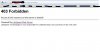
LSphp is running under www-data (see attached).
Error 403 still happens (also attached).
I wish the logs would give me a hint of the cause but they seem useless as they show no errors or issues :-(
Anything else i can try?
webizen
10-14-2011, 09:51 AM
you may also check stderr.log (e.g. /usr/local/lsws/logs/stderr.log) and syslog (e.g. /var/log/messages).
also check the ownership of your upload directory.
mistwang
10-14-2011, 02:48 PM
Hi,
LSphp is running under www-data (see attached).
Error 403 still happens (also attached).
I wish the logs would give me a hint of the cause but they seem useless as they show no errors or issues :-(
Anything else i can try?
For those 403 error, LSWS should log something about it. maybe you can turn on debug logging and try again. make sure debug level is "HIGH", log level is at "DEBUG".
sysmesh
10-15-2011, 12:33 AM
I think I might have found a solution: In the security settings of the server setup I've set the "check symbolic links" to "no" and it started to work again.
Thanks for your help!
sysmesh
10-15-2011, 03:04 AM
I was happy to soon.
Same issue remains :-(
I added a debug log to the site and FINALLY got this:
ModSecurity: Access denied with code 403, [Rule: 'ARGS' '(fromCharCode|http-equiv|<.+>|innerHTML|dynsrc|-->)']
[Msg: XSS attack]
How do I fix that?
mistwang
10-15-2011, 03:44 PM
You can locate and comment out that rule, or use
SecRuleRemoveById xxxxx
to exclude that rule for that URL.
Maybe you enabled Request Body scan by default, which may cause trouble with gotroot rules.
sysmesh
10-15-2011, 11:57 PM
Thanks. Realizing it may sounds like a silly question but any hints to the location of the rules config file on the server?
NiteWave
10-16-2011, 02:08 AM
the rule can be found through
lsws admin console->Configuration->Server->
Request Filter->XSS attack->just disable it
restart lsws. see if the issue gone.
sysmesh
10-16-2011, 09:05 AM
That did the trick! Thank you so much.
clarocque
11-08-2011, 08:05 AM
OK after reading this thread I was able to stop the 403 error...
But how come I have to remove these rules in any version after 4.1.1?
SecFilterSelective ARGS "(fromCharCode|http-equiv|<.+>|innerHTML|dynsrc|-->)"
SecFilterSelective ARGS "<(applet|div|embed|iframe|img|meta|object|script|te xtarea)"
When the same exact script & data is OK in 4.1.1?
webizen
11-08-2011, 11:19 AM
the rulesets may not work well with 4.1.1 and prior as modsec support is improving.