LiteSpeed Technologies
Download Download     Blog Blog     Wiki Wiki     Forum Forum     Store     Contact Contact    

Go Back   LiteSpeed Support Forums > LiteSpeed Web Server > LiteSpeed Cache > Litespeed cache settings

Reply
 
Thread Tools Display Modes
  #1  
Old 02-02-2012, 02:15 AM
rosaline rosaline is offline
New Member
 
Join Date: Feb 2012
Posts: 5
Default Litespeed cache settings

I use Litespeed Enterprise edition on our dedicated WHM panel.

When I test my site with pingdom in this link :http://tools.pingdom.com/fpt/

At request header's part: it says pragma: no-cache and cache-control is no-cache.. But response header's part is normal.

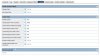
I am sending screenshot of my cache settings in attachment. I have enabled cache on admin panel of Litespeed and configured some values as like:

Expire default value is:A3600

Expire by types: text/css=A604800, text/javascript=A604800, application/javascript=A604800, application/x-javascript=A604800, application/x-shockwave-flash=A604800, image/gif=A604800, image/jpg=A604800, image/jpeg=A604800, image/png=A604800, image/ico=A604800, image/icon=A604800

Did I make any mistake from somewhere?
Attached Images
File Type: jpg cache-settings.jpg (76.8 KB, 24 views)
Reply With Quote
  #2  
Old 02-02-2012, 02:23 AM
NiteWave NiteWave is offline
LiteSpeed Staff
 
Join Date: Sep 2009
Posts: 2,216
the "Storage Path" must be set, now it's empty
Reply With Quote
  #3  
Old 02-02-2012, 02:25 AM
rosaline rosaline is offline
New Member
 
Join Date: Feb 2012
Posts: 5
how can I set it?
Reply With Quote
  #4  
Old 02-02-2012, 10:44 AM
webizen webizen is offline
LiteSpeed Staff
 
Join Date: Oct 2010
Posts: 2,337
you need to create a directory for cache storage from command line first. Then fill storage path with it.

1. mkdir /path/to/diskcache (i.e. /usr/local/lsws/diskcache)
2. chown nobody.lsadm /path/to/diskcache (nobody is the webserver running user)
3. chmod 770 /path/to/diskcache
4. fill storage path (Admin CP => Configuration => Server => Cache => Storage Path) with '/path/to/diskcache' you just created.

Quote:
Originally Posted by rosaline View Post
how can I set it?
Reply With Quote
  #5  
Old 02-02-2012, 02:15 PM
rosaline rosaline is offline
New Member
 
Join Date: Feb 2012
Posts: 5
I have created successfully, thank you very much for your helping..

but still pingdom tester in this link: http://tools.pingdom.com/fpt/ says me pragma-no cache and cache-control: no-cache

I have enabled cache from admin panel and set expire time 3600.Is it true?

Also I want to decrease loading of images in my site what can I do for this issue?
Reply With Quote
  #6  
Old 02-02-2012, 02:59 PM
webizen webizen is offline
LiteSpeed Staff
 
Join Date: Oct 2010
Posts: 2,337
You need to look at different response header.

http://www.litespeedtech.com/support...itespeed:cache

7. Verify if pages are served from LSWS cache

Since 4.0.19 release, LiteSpeed outputs a response header “X-LiteSpeed-Cache: hit” if a request is served from cache.
Reply With Quote
Reply

Thread Tools
Display Modes

Posting Rules
You may not post new threads
You may not post replies
You may not post attachments
You may not edit your posts

BB code is On
Smilies are On
[IMG] code is On
HTML code is Off

Forum Jump


All times are GMT -7. The time now is 05:17 PM.


- Archive - Top
© Copyright 2003-2011 LiteSpeed Technologies, Inc. All rights reserved. Privacy Policy.